Cum vă putem ajuta?

Încercați să intrați într-o întâlnire?


5-8 octombrie 2026, Austin, TX și Virtual | Înscrierea este acum deschisă pentru WebexOne 2026.
5-8 octombrie 2026, Austin, TX și Virtual | Înscrierea este acum deschisă pentru WebexOne 2026.


Începeți
Tot ce trebuie să știți pentru a începe să utilizați Webex.


Ajutor în funcție de produs
Obțineți ajutor special pentru fiecare dintre produsele noastre diferite.

Administrare
Gestionarea Webex în Control Hub și Partner Hub.

IA Webex
Cea mai avansată platformă bazată pe inteligență artificială generativă pentru o activitate hibridă și o experiență personalizată pentru clienți.


Ce mai e nou
Descoperiți noutățile în Webex. Aflați despre noile funcții, erori, remedieri și alte actualizări.

Articole populare
Probleme de conectare la Webex


Webex Suite
Configurați gateway-ul local în Cisco IOS XE pentru Webex Calling

Calling
Informații de referință privind porturile pentru Webex Calling
Calling
Utilizați fundaluri virtuale în Webex Meetings și Webex Webinars
Webex Suite
Creați și gestionați fluxuri cu proiectantul de flux

Experiența clientului
Ghid de administrare pentru Webex AI Agent Studio
Experiența clientului
Conectați-vă la un dispozitiv compatibil cu Aplicația Webex

Dispozitive

Resurse video


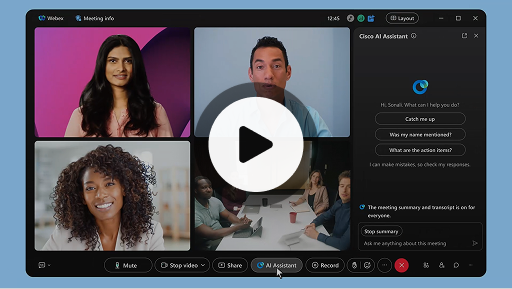
Cisco AI Assistant în întâlniri
Webex Suite
Uneori este posibil să intrați mai târziu într-o întâlnire, să trebuiască să vă retrageți pentru un moment sau să faceți multitasking și să vi se distragă atenția. Cu ajutorul rezumatelor întâlnirii de la AI Assistant, vă puteți pune rapid la curent cu ce ați ratat, puteți înțelege ce se discută, puteți adresa întrebări fără a deranja întâlnirea și puteți fi la curent cu întreaga conversație. De asemenea, primiți un rezumat și o transcriere după întâlnire, fără a fi nevoie să înregistrați.
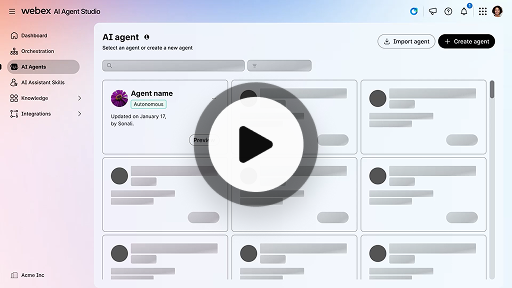
Creați un agent IA autonom
Experiența clientului
Agenții IA autonomi funcționează independent, fără intervenție umană directă. Agenții autonomi pot accesa și utiliza un depozit de cunoștințe pentru a oferi răspunsuri informative și precise la întrebările utilizatorului. Acești agenți utilizează algoritmi avansați și tehnici de învățare automată pentru a analiza datele, a învăța din mediul înconjurător și a-și adapta acțiunile în vederea atingerii unor obiective specifice.
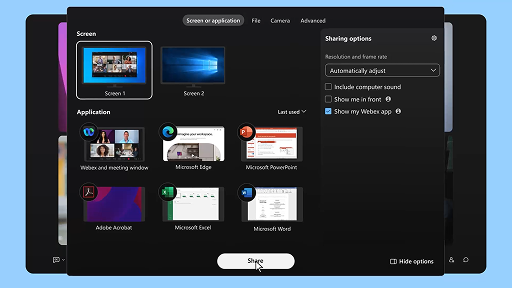
Partajați conținut într-o întâlnire
Webex Suite
Atunci când partajați conținut în Aplicația Webex, toți participanții la întâlnire pot vedea cu ușurință ce se discută. Oricine poate partaja conținut, dar numai o singură persoană poate partaja conținut la un moment dat.
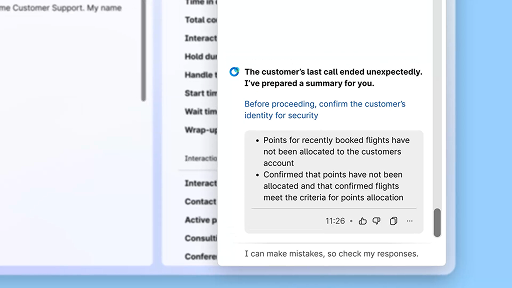
Îmbunătățiți eficiența cu ajutorul rezumatelor generate de IA
Experiența clientului
Cisco AI Assistant oferă rezumate concise ale interacțiunilor anterioare, permițând agenților să continue conversațiile fără întreruperi, fără a fi nevoie să colecteze din nou informații. Acest acces imediat le permite agenților să se concentreze pe oferirea de soluții eficiente, ceea ce duce la rezolvarea mai rapidă a problemelor și la o experiență a clientului mai coerentă.
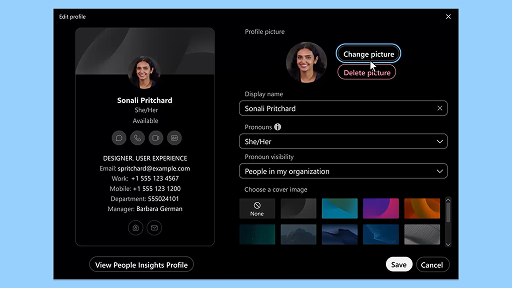
Aplicația Webex | Adăugați fotografia dvs. de profil
Webex Suite
Facilitați recunoașterea dvs. în Aplicația Webex prin adăugarea unei fotografii la profilul dvs. Până când nu încărcați una, profilul dvs. afișează doar inițialele dvs. în interiorul unui cerc.
Notificări privind pauzele de relaxare ale AI Assistant
Experiența clientului
Când AI Assistant vă recomandă o pauză de relaxare, va apărea o notificare de tip toast pe ecran: Se acceptă pauza: Faceți clic pe Luați o pauză pentru a accepta pauza. Widgetul Cisco AI Assistant se deschide automat pentru a confirma alegerea dvs. După ce încheiați interacțiunea actuală, pauza de relaxare de 1 minut începe automat. Starea dvs. se schimbă în Pauză de relaxare pentru a împiedica următoarea interacțiune să fie pusă în coadă pentru dvs. Pe ecran apare o numărătoare inversă de 5 secunde pe măsură ce pauza dvs. de 1 minut se apropie de final. Odată finalizată, fereastra cu pauza se închide automat, iar starea dvs. se schimbă în Disponibil(ă), pregătindu-vă pentru următoarea interacțiune.
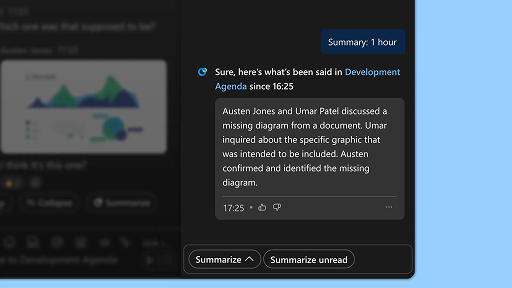
Generați rezumatele pentru spațiu
Webex Suite
Când sunteți ocupat(ă) sau nu sunteți la birou, poate fi o provocare să vă puneți la curent cu toate spațiile. AI Assistant poate să genereze rezumate pentru spațiu pentru a vă ajuta să vă puneți rapid la curent cu mesajele și conversațiile pe care le-ați ratat în acel spațiu. Rămâneți informat(ă) cu deciziile și aspectele-cheie și fiți la curent cu discuția dintr-o privire.
Îmbunătățiți eficiența cu ajutorul transcrierilor în timp real
Experiența clientului
Transcrierile în timp real sunt concepute pentru a vă ajuta să optimizați eficiența comunicării în timpul interacțiunilor cu clienții. Prin furnizarea de transcrieri live direct în Agent Desktop, se poate contribui la îmbunătățirea concentrării, a clarității și a preciziei răspunsurilor dvs. Scopul său este de a vă spori înțelegerea și eficiența în timpul apelurilor, de a reduce neînțelegerile și de a vă sprijini în realizarea unor interacțiuni de înaltă calitate, care să îmbunătățească performanța și satisfacția clienților.
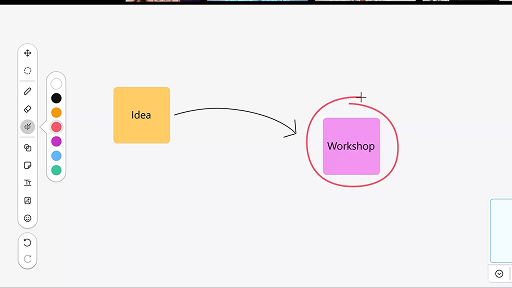
Utilizați tabla în cadrul întâlnirilor
Webex Suite
Când sunteți ocupat(ă) sau nu sunteți la birou, poate fi o provocare să vă puneți la curent cu toate spațiile. AI Assistant poate să genereze rezumate pentru spațiu pentru a vă ajuta să vă puneți rapid la curent cu mesajele și conversațiile pe care le-ați ratat în acel spațiu. Rămâneți informat(ă) cu deciziile și aspectele-cheie și fiți la curent cu discuția dintr-o privire.
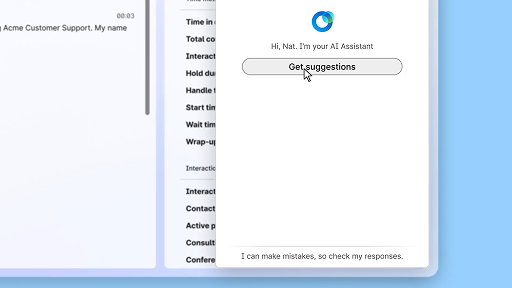
Răspundeți cu încredere folosind asistența în timp real
Experiența clientului
Asistența în timp real este o funcție a Cisco AI Assistant, concepută pentru a vă sprijini în timpul interacțiunilor live cu clienții, prin înțelegerea continuă a contextului conversației, identificarea intenției clientului și oferirea imediată de recomandări relevante. Vă ghidează în timp real, sugerându-vă ce să spuneți sau ce să faceți, ajutându-vă să vă descurcați în proceduri complexe și chiar inițiind automat fluxuri de lucru.
Cisco AI Assistant în întâlniri
Webex Suite
Uneori este posibil să intrați mai târziu într-o întâlnire, să trebuiască să vă retrageți pentru un moment sau să faceți multitasking și să vi se distragă atenția. Cu ajutorul rezumatelor întâlnirii de la AI Assistant, vă puteți pune rapid la curent cu ce ați ratat, puteți înțelege ce se discută, puteți adresa întrebări fără a deranja întâlnirea și puteți fi la curent cu întreaga conversație. De asemenea, primiți un rezumat și o transcriere după întâlnire, fără a fi nevoie să înregistrați.
Creați un agent IA autonom
Experiența clientului
Agenții IA autonomi funcționează independent, fără intervenție umană directă. Agenții autonomi pot accesa și utiliza un depozit de cunoștințe pentru a oferi răspunsuri informative și precise la întrebările utilizatorului. Acești agenți utilizează algoritmi avansați și tehnici de învățare automată pentru a analiza datele, a învăța din mediul înconjurător și a-și adapta acțiunile în vederea atingerii unor obiective specifice.
Partajați conținut într-o întâlnire
Webex Suite
Atunci când partajați conținut în Aplicația Webex, toți participanții la întâlnire pot vedea cu ușurință ce se discută. Oricine poate partaja conținut, dar numai o singură persoană poate partaja conținut la un moment dat.
Îmbunătățiți eficiența cu ajutorul rezumatelor generate de IA
Experiența clientului
Cisco AI Assistant oferă rezumate concise ale interacțiunilor anterioare, permițând agenților să continue conversațiile fără întreruperi, fără a fi nevoie să colecteze din nou informații. Acest acces imediat le permite agenților să se concentreze pe oferirea de soluții eficiente, ceea ce duce la rezolvarea mai rapidă a problemelor și la o experiență a clientului mai coerentă.
Aplicația Webex | Adăugați fotografia dvs. de profil
Webex Suite
Facilitați recunoașterea dvs. în Aplicația Webex prin adăugarea unei fotografii la profilul dvs. Până când nu încărcați una, profilul dvs. afișează doar inițialele dvs. în interiorul unui cerc.
Notificări privind pauzele de relaxare ale AI Assistant
Experiența clientului
Când AI Assistant vă recomandă o pauză de relaxare, va apărea o notificare de tip toast pe ecran: Se acceptă pauza: Faceți clic pe Luați o pauză pentru a accepta pauza. Widgetul Cisco AI Assistant se deschide automat pentru a confirma alegerea dvs. După ce încheiați interacțiunea actuală, pauza de relaxare de 1 minut începe automat. Starea dvs. se schimbă în Pauză de relaxare pentru a împiedica următoarea interacțiune să fie pusă în coadă pentru dvs. Pe ecran apare o numărătoare inversă de 5 secunde pe măsură ce pauza dvs. de 1 minut se apropie de final. Odată finalizată, fereastra cu pauza se închide automat, iar starea dvs. se schimbă în Disponibil(ă), pregătindu-vă pentru următoarea interacțiune.
Generați rezumatele pentru spațiu
Webex Suite
Când sunteți ocupat(ă) sau nu sunteți la birou, poate fi o provocare să vă puneți la curent cu toate spațiile. AI Assistant poate să genereze rezumate pentru spațiu pentru a vă ajuta să vă puneți rapid la curent cu mesajele și conversațiile pe care le-ați ratat în acel spațiu. Rămâneți informat(ă) cu deciziile și aspectele-cheie și fiți la curent cu discuția dintr-o privire.
Îmbunătățiți eficiența cu ajutorul transcrierilor în timp real
Experiența clientului
Transcrierile în timp real sunt concepute pentru a vă ajuta să optimizați eficiența comunicării în timpul interacțiunilor cu clienții. Prin furnizarea de transcrieri live direct în Agent Desktop, se poate contribui la îmbunătățirea concentrării, a clarității și a preciziei răspunsurilor dvs. Scopul său este de a vă spori înțelegerea și eficiența în timpul apelurilor, de a reduce neînțelegerile și de a vă sprijini în realizarea unor interacțiuni de înaltă calitate, care să îmbunătățească performanța și satisfacția clienților.
Utilizați tabla în cadrul întâlnirilor
Webex Suite
Când sunteți ocupat(ă) sau nu sunteți la birou, poate fi o provocare să vă puneți la curent cu toate spațiile. AI Assistant poate să genereze rezumate pentru spațiu pentru a vă ajuta să vă puneți rapid la curent cu mesajele și conversațiile pe care le-ați ratat în acel spațiu. Rămâneți informat(ă) cu deciziile și aspectele-cheie și fiți la curent cu discuția dintr-o privire.
Răspundeți cu încredere folosind asistența în timp real
Experiența clientului
Asistența în timp real este o funcție a Cisco AI Assistant, concepută pentru a vă sprijini în timpul interacțiunilor live cu clienții, prin înțelegerea continuă a contextului conversației, identificarea intenției clientului și oferirea imediată de recomandări relevante. Vă ghidează în timp real, sugerându-vă ce să spuneți sau ce să faceți, ajutându-vă să vă descurcați în proceduri complexe și chiar inițiind automat fluxuri de lucru.

Explorați instrumentele de învățare

Adoption Hub
Launch, train, and grow with these helpful resources.

Academia Webex
Învățați în orice moment cu ajutorul cursurilor parcurse în ritm propriu și al tutorialelor video rapide.

Onboarding resources
Make onboarding easy with customizable self-serve resources.

Evenimente live
Învățați cu Webex: Evenimente, seminare web și clipuri demonstrative zilnice.
Alte resurse

Descărcați Webex
O singură platformă cu toate modalitățile de conectare.


Comunitate Webex
Comunitatea este un hub pentru a vă conecta cu specialiștii în Cisco și colegii dvs., pentru a solicita ajutor, a împărtăși expertiza dvs., a construi rețeaua dvs. și pentru a vă dezvolta profesional.

Webex Insider
Conectați-vă cu persoanele care împărtășesc aceeași pasiune pentru Webex și obțineți acces direct la noile concepte ale echipelor de produs și experiență din portofoliul Webex.

Webex pentru dezvoltatori
Construiți viitorul colaborărilor de afaceri cu Webex. Aflați mai multe despre API-ul și SDK-urile în Webex pentru a crea următoarea aplicație pentru o colaborare excelentă în platforma Webex.

Mai aveți nevoie de ajutor?
Alegeți dintr-o varietate de resurse de asistență pentru a obține ajutorul de care aveți nevoie.
Cum evaluați experiența dvs. pe această pagină?


Nu este utilă
Este utilă
Cum putem face această pagină mai utilă pentru dvs.?
Mulțumim pentru feedback.


