Чем мы можем помочь?

Пытаетесь присоединиться к совещанию?


5–8 октября 2026 г., Остин, Техас (а также виртуальный формат) | Открыта регистрация для участия в WebexOne 2026.
5–8 октября 2026 г., Остин, Техас (а также виртуальный формат) | Открыта регистрация для участия в WebexOne 2026.


Начало работы
Все, что необходимо знать, чтобы начать работу с Webex.


Справка по продукту
Получите помощь в отношении каждого из продуктов.

Администрирование
Управление Webex в Control Hub и партнерском центре.

ИИ Webex
Наиболее передовая платформа на основе генеративного ИИ для гибридной работы и обслуживания клиентов.


Новые возможности
Обзор новых возможностей Webex. Узнайте о новых функциях, проблемах, исправлениях и других обновлениях.

Популярные статьи
Проблемы с входом в Webex


Webex Suite
Настройка локального шлюза в Cisco IOS-XE для Webex Calling

Calling
Справочная информация о портах для Webex Calling
Calling
Использование виртуальных фонов в Webex Meetings и Webex Webinars
Webex Suite
Создание потоков и управление ими в конструкторе потоков

Customer Experience
Руководство по администрированию Webex AI Agent Studio
Customer Experience
Подключение устройства к приложению Webex

Устройства

Видеоматериалы


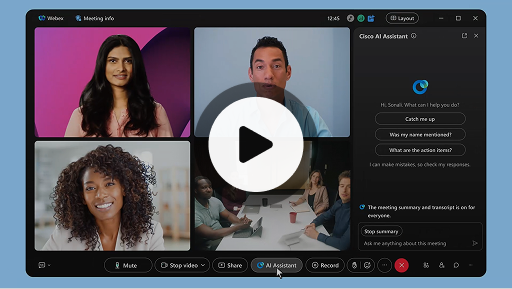
Интеллектуальный помощник Cisco на совещаниях
Webex Suite
Иногда вы присоединяетесь к совещанию позже, возникает необходимость выйти из совещания или приходится отвлекаться при одновременном выполнении нескольких задач. Благодаря сводной информации о совещании, которую создает интеллектуальный помощник, можно быстро отслеживать пропущенное, вникать в предмет обсуждения, задавать вопросы, не нарушая ход совещания, и оставаться в курсе разговора. Кроме того, вы получите сводную информацию и текст стенограммы после совещания без необходимости его записи.
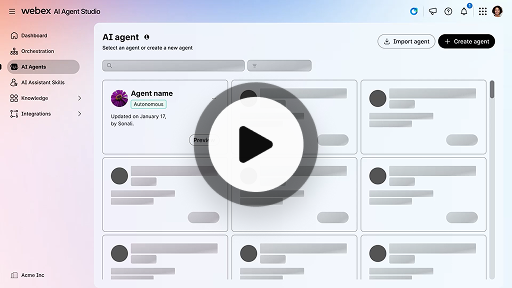
Создание автономного ИИ-оператора
Customer Experience
Автономные ИИ-операторы работают независимо и без непосредственного вмешательства человека. Автономные ИИ-операторы могут получать доступ к репозиторию знаний и использовать его для предоставления информативных и точных ответов на запросы пользователей. С целью анализа данных, обучения с помощью собственной среды и адаптации своих действий для достижения определенных целей эти операторы используют расширенные алгоритмы и техники машинного обучения.
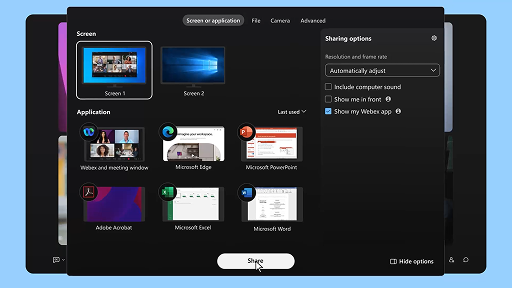
Совместный доступ к контенту на совещании
Webex Suite
При предоставлении совместного доступа к контенту в приложении Webex любой участник совещания может с легкостью просматривать предмет обсуждения. Предоставить совместный доступ к контенту может любой пользователь, однако одновременно предоставлять совместный доступ может только один участник.
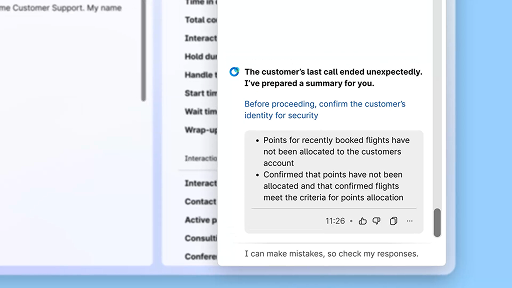
Повышение эффективности с помощью сводной информации, созданной с использованием ИИ
Customer Experience
Cisco AI Assistant предоставляет операторам краткую сводную информацию о предыдущих взаимодействиях, что позволяет беспрепятственно продолжать разговоры без необходимости повторного сбора информации. Такой мгновенный доступ позволяет операторам сосредоточиться на предоставлении эффективных решений, что приводит к более быстрому разрешению обращений и более согласованному обслуживанию клиентов.
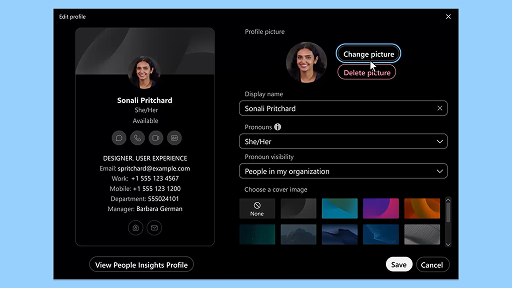
Приложение Webex | Добавление изображения профиля
Webex Suite
Добавьте изображение в свой профиль, чтобы вас могли легко узнать другие пользователи в приложении Webex. Если изображение профиля не загружено, вместо него будут отображаться только ваши инициалы внутри круга.
Уведомления AI Assistant о перерывах для восстановления
Customer Experience
Когда AI Assistant порекомендует сделать перерыв для восстановления, появится всплывающее уведомление. Принятие перерыва. Чтобы принять предложение о перерыве, щелкните "Сделать перерыв". Для подтверждения выбора автоматически откроется виджет Cisco AI Assistant. После завершения текущего взаимодействия начнется 1-минутный перерыв для восстановления. Во избежание назначения следующего взаимодействия ваше состояние будет изменено на "Перерыв для восстановления". В конце 1-минутного перерыва на экране появится 5-секундный обратный отсчет. После завершения перерыва окно будет автоматически закрыто, состояние изменится на "Доступен" и вы будете готовы к следующему взаимодействию.
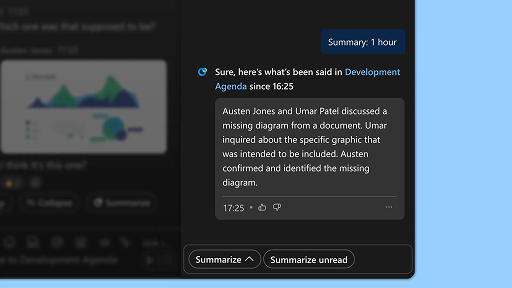
Создание сводной информации о пространстве
Webex Suite
Когда вы заняты или отсутствуете на рабочем месте, могут возникать сложности при отслеживании всех пространств. Интеллектуальный помощник может создавать сводную информацию о пространствах, чтобы помочь вам быстро отследить пропущенные сообщения и разговоры в пространстве. Получайте информацию о решениях, следите за основными моментами и будьте в курсе обсуждения.
Повышение эффективности с помощью функции текста стенограммы в режиме реального времени
Customer Experience
Текст стенограммы в режиме реального времени предназначен для повышения эффективности коммуникаций во время взаимодействий с клиентами. Поскольку текст стенограммы отображается непосредственно в Agent Desktop в реальном времени, это позволяет повысить сосредоточенность, ясность и точность ответов. Цель этой функции – улучшить понимание и эффективность во время вызовов, свести к минимуму недопонимания и обеспечить поддержку высококачественных взаимодействий. Это способствует повышению производительности оператора и удовлетворенности клиентов.
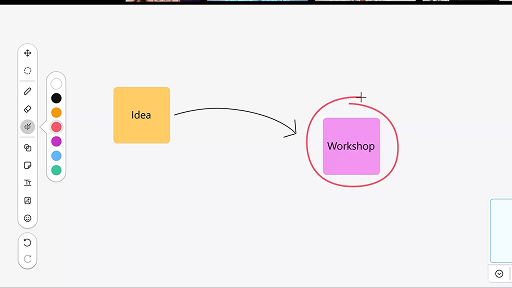
Использование виртуальной доски на совещаниях
Webex Suite
Когда вы заняты или отсутствуете на рабочем месте, могут возникать сложности при отслеживании всех пространств. Интеллектуальный помощник может создавать сводную информацию о пространствах, чтобы помочь вам быстро отследить пропущенные сообщения и разговоры в пространстве. Получайте информацию о решениях, следите за основными моментами и будьте в курсе обсуждения.
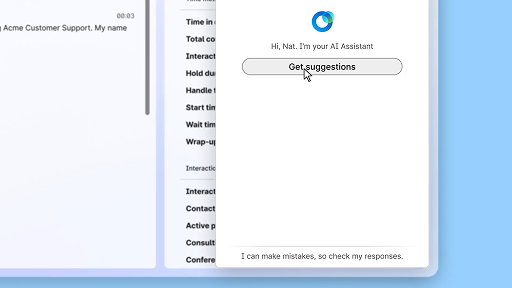
Отвечайте уверенно с помощью функции "Помощь в режиме реального времени"
Customer Experience
"Помощь в режиме реального времени" – это функция Cisco AI Assistant, предназначенная для обеспечения поддержки во время взаимодействий с клиентами в реальном времени, которая непрерывно анализирует контекст разговора, определяет намерения клиента и мгновенно предоставляет соответствующие рекомендации. Она направляет вас в режиме реального времени, предлагая определенные ответы или действия, помогая ориентироваться в сложных процедурах и даже автоматически запуская рабочие процессы.
Интеллектуальный помощник Cisco на совещаниях
Webex Suite
Иногда вы присоединяетесь к совещанию позже, возникает необходимость выйти из совещания или приходится отвлекаться при одновременном выполнении нескольких задач. Благодаря сводной информации о совещании, которую создает интеллектуальный помощник, можно быстро отслеживать пропущенное, вникать в предмет обсуждения, задавать вопросы, не нарушая ход совещания, и оставаться в курсе разговора. Кроме того, вы получите сводную информацию и текст стенограммы после совещания без необходимости его записи.
Создание автономного ИИ-оператора
Customer Experience
Автономные ИИ-операторы работают независимо и без непосредственного вмешательства человека. Автономные ИИ-операторы могут получать доступ к репозиторию знаний и использовать его для предоставления информативных и точных ответов на запросы пользователей. С целью анализа данных, обучения с помощью собственной среды и адаптации своих действий для достижения определенных целей эти операторы используют расширенные алгоритмы и техники машинного обучения.
Совместный доступ к контенту на совещании
Webex Suite
При предоставлении совместного доступа к контенту в приложении Webex любой участник совещания может с легкостью просматривать предмет обсуждения. Предоставить совместный доступ к контенту может любой пользователь, однако одновременно предоставлять совместный доступ может только один участник.
Повышение эффективности с помощью сводной информации, созданной с использованием ИИ
Customer Experience
Cisco AI Assistant предоставляет операторам краткую сводную информацию о предыдущих взаимодействиях, что позволяет беспрепятственно продолжать разговоры без необходимости повторного сбора информации. Такой мгновенный доступ позволяет операторам сосредоточиться на предоставлении эффективных решений, что приводит к более быстрому разрешению обращений и более согласованному обслуживанию клиентов.
Приложение Webex | Добавление изображения профиля
Webex Suite
Добавьте изображение в свой профиль, чтобы вас могли легко узнать другие пользователи в приложении Webex. Если изображение профиля не загружено, вместо него будут отображаться только ваши инициалы внутри круга.
Уведомления AI Assistant о перерывах для восстановления
Customer Experience
Когда AI Assistant порекомендует сделать перерыв для восстановления, появится всплывающее уведомление. Принятие перерыва. Чтобы принять предложение о перерыве, щелкните "Сделать перерыв". Для подтверждения выбора автоматически откроется виджет Cisco AI Assistant. После завершения текущего взаимодействия начнется 1-минутный перерыв для восстановления. Во избежание назначения следующего взаимодействия ваше состояние будет изменено на "Перерыв для восстановления". В конце 1-минутного перерыва на экране появится 5-секундный обратный отсчет. После завершения перерыва окно будет автоматически закрыто, состояние изменится на "Доступен" и вы будете готовы к следующему взаимодействию.
Создание сводной информации о пространстве
Webex Suite
Когда вы заняты или отсутствуете на рабочем месте, могут возникать сложности при отслеживании всех пространств. Интеллектуальный помощник может создавать сводную информацию о пространствах, чтобы помочь вам быстро отследить пропущенные сообщения и разговоры в пространстве. Получайте информацию о решениях, следите за основными моментами и будьте в курсе обсуждения.
Повышение эффективности с помощью функции текста стенограммы в режиме реального времени
Customer Experience
Текст стенограммы в режиме реального времени предназначен для повышения эффективности коммуникаций во время взаимодействий с клиентами. Поскольку текст стенограммы отображается непосредственно в Agent Desktop в реальном времени, это позволяет повысить сосредоточенность, ясность и точность ответов. Цель этой функции – улучшить понимание и эффективность во время вызовов, свести к минимуму недопонимания и обеспечить поддержку высококачественных взаимодействий. Это способствует повышению производительности оператора и удовлетворенности клиентов.
Использование виртуальной доски на совещаниях
Webex Suite
Когда вы заняты или отсутствуете на рабочем месте, могут возникать сложности при отслеживании всех пространств. Интеллектуальный помощник может создавать сводную информацию о пространствах, чтобы помочь вам быстро отследить пропущенные сообщения и разговоры в пространстве. Получайте информацию о решениях, следите за основными моментами и будьте в курсе обсуждения.
Отвечайте уверенно с помощью функции "Помощь в режиме реального времени"
Customer Experience
"Помощь в режиме реального времени" – это функция Cisco AI Assistant, предназначенная для обеспечения поддержки во время взаимодействий с клиентами в реальном времени, которая непрерывно анализирует контекст разговора, определяет намерения клиента и мгновенно предоставляет соответствующие рекомендации. Она направляет вас в режиме реального времени, предлагая определенные ответы или действия, помогая ориентироваться в сложных процедурах и даже автоматически запуская рабочие процессы.

Исследуйте наши инструменты для обучения

Adoption Hub
Launch, train, and grow with these helpful resources.

Академия Webex
Обучайтесь в любое время с помощью курсов для самостоятельного обучения и кратких видеоучебников.

Onboarding resources
Make onboarding easy with customizable self-serve resources.

Event-совещания в режиме реального времени
Обучение с помощью Webex: event-совещания, вебинары и ежедневные демонстрационные ролики.
Другие материалы

Скачать Webex
Одна платформа, на которой доступны все способы подключения.


Сообщество Webex
Сообщество – это центр для общения с коллегами и специалистами Cisco, где можно обратиться за помощью, поделиться своим опытом, создавать сеть контактов и расти профессионально.

Программа Webex Insider
Общайтесь с людьми, которые разделяют ваш интерес к Webex, и получайте внутренний доступ к новым концепциям от команд по работе с продуктами и функциями Webex.

Webex для разработчиков
Создавайте будущее совместной работы в компаниях с помощью Webex. Узнайте больше об API и SDK Webex, чтобы создавать другие приложения для совместной работы на платформе Webex.

Все еще требуется помощь?
Для получения помощи используйте наши обширные материалы поддержки.
Как бы вы оценили свои впечатления от использования этой страницы?


Бесполезно
Полезно
Как мы можем сделать эту страницу более полезной для вас?
Благодарим вас за обратную связь.


