¿Cómo podemos ayudarlo?

¿Quiere entrar a una reunión?


Del 5 al 8 de octubre de 2026, Austin (TX) y virtual | Ya está abierto el registro para WebexOne 2026.
Del 5 al 8 de octubre de 2026, Austin (TX) y virtual | Ya está abierto el registro para WebexOne 2026.


Comenzar
Todo lo que necesita saber para comenzar con Webex.


Ayuda por producto
Obtenga ayuda específica para nuestros variados productos.

Administración
Administración de Webex en Control Hub y Partner Hub.

Webex AI
La plataforma más avanzada impulsada por IA generativa para el trabajo híbrido y la experiencia del cliente.


Novedades
Descubra las novedades en Webex. Conozca las nuevas características, los problemas, las correcciones y otras actualizaciones.

Artículos populares
Problemas de inicio de sesión con Webex


Webex Suite
Configurar la puerta de enlace local en Cisco IOS XE para Webex Calling

Calling
Información de referencia de puertos para Webex Calling
Calling
Usar fondos virtuales en Webex Meetings y Webex Webinars
Webex Suite
Cree y administre flujos con Flow Designer

Experiencia del cliente
Guía de administración de Webex AI Agent Studio
Experiencia del cliente
Conectarse a un dispositivo de la aplicación de Webex

Dispositivos

Recursos de video


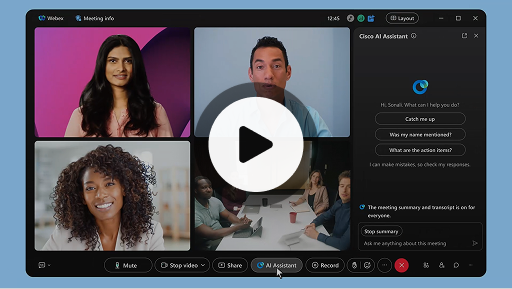
Cisco AI Assistant en reuniones
Webex Suite
A veces entra tarde a una reunión, debe ausentarse un momento o realiza varias tareas a la vez y se distrae. Con los resúmenes de reuniones generados por el AI Assistant, puede ponerse al corriente rápidamente de lo que se ha perdido, entender el debate, hacer preguntas sin interrumpir la reunión y seguir al tanto de la conversación. También recibe un resumen y una transcripción después de la reunión, sin tener que grabar.
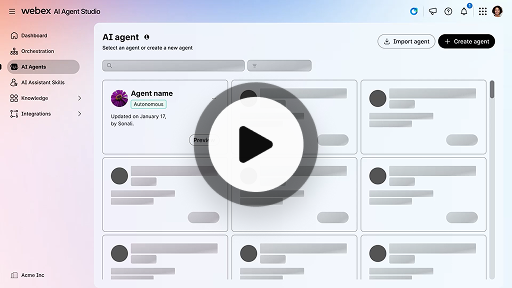
Crear un agente autónomo de IA
Experiencia del cliente
Los agentes autónomos de IA operan de manera independiente, sin intervención humana directa. Los agentes autónomos pueden acceder a un repositorio de conocimientos y utilizarlo para proporcionar respuestas informativas y precisas a las consultas de los usuarios. Estos agentes usan algoritmos avanzados y técnicas de aprendizaje automático para analizar datos, aprender de su entorno y adaptar sus acciones para alcanzar objetivos específicos.
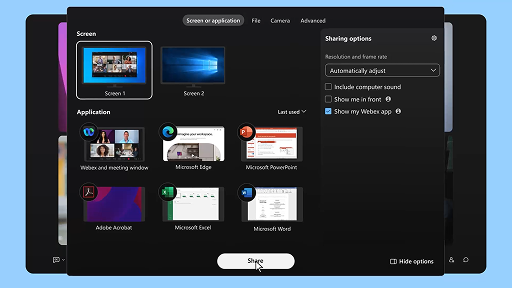
Compartir contenido en una reunión
Webex Suite
Cuando comparte contenido en la aplicación de Webex, todos los participantes de la reunión pueden ver fácilmente qué se está discutiendo. Cualquiera puede compartir contenido, pero solo una persona puede compartir por vez.
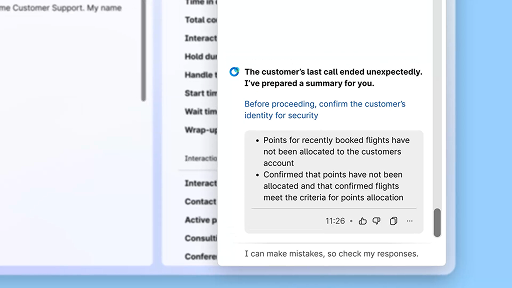
Aumente la eficacia mediante resúmenes generados por la IA
Experiencia del cliente
Cisco AI Assistant ofrece resúmenes concisos de las interacciones previas, lo que permite a los agentes continuar las conversaciones de forma fluida y sin tener que volver a recopilar información. Este acceso inmediato posibilita que los agentes se enfoquen en proporcionar soluciones efectivas, lo que conduce a resoluciones más rápidas y una experiencia del cliente más cohesiva.
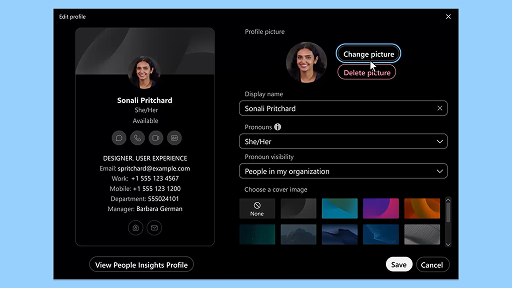
Aplicación de Webex | Agregar su imagen de perfil
Webex Suite
Agregue una imagen a su perfil para que a los demás les resulte más fácil reconocerlo en la aplicación de Webex. Hasta que cargue una, su perfil solo mostrará sus iniciales dentro de un círculo.
Notificaciones de AI Assistant sobre descansos para el bienestar
Experiencia del cliente
Cuando AI Assistant recomiende un descanso para el bienestar, aparecerá una notificación emergente: Aceptación del descanso: Haga clic en “Tomar un descanso” para aceptar la recomendación. El widget de Cisco AI Assistant se abrirá automáticamente para confirmar su elección. Una vez que concluya la interacción actual, comenzará su descanso para el bienestar de 1 minuto de manera automática. Su estado cambiará a “Descanso para el bienestar” para que la siguiente interacción no se agregue a su cola. Cuando su descanso de 1 minuto esté por terminar, aparecerá en pantalla una cuenta regresiva de 5 segundos. Al finalizar, la ventana de descanso se cerrará automáticamente, y su estado cambiará a “Disponible”, con lo que quedará listo para la siguiente interacción.
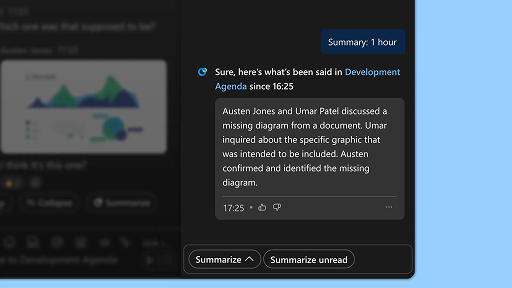
Genere resúmenes de espacio
Webex Suite
Cuando está ocupado o ha estado fuera de la oficina, ponerse al día con todos sus espacios puede ser complicado. El AI Assistant puede generar resúmenes de espacios para ayudarlo a ponerse al día rápidamente sobre los mensajes y conversaciones que se haya perdido en el espacio. Manténgase informado sobre las decisiones y los puntos clave y póngase al día con el debate de un vistazo.
Aumente la eficacia con transcripciones en tiempo real
Experiencia del cliente
Las transcripciones en tiempo real están diseñadas para ayudarle a optimizar la eficiencia de la comunicación durante las interacciones con los clientes. Las transcripciones en vivo directamente en su Agent Desktop pueden ayudar a mejorar el foco, la claridad y la precisión de las respuestas. Esto apunta a mejorar la comprensión y la eficiencia durante las llamadas, reducir los malentendidos y ayudar a que el usuario tenga interacciones de alta calidad que incrementen su rendimiento y la satisfacción de los clientes.
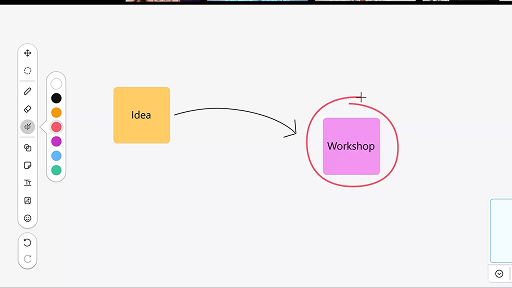
Utilice la pizarra blanca en las reuniones
Webex Suite
Cuando está ocupado o ha estado fuera de la oficina, ponerse al día con todos sus espacios puede ser complicado. El AI Assistant puede generar resúmenes de espacios para ayudarlo a ponerse al día rápidamente sobre los mensajes y conversaciones que se haya perdido en el espacio. Manténgase informado sobre las decisiones y los puntos clave y póngase al día con el debate de un vistazo.
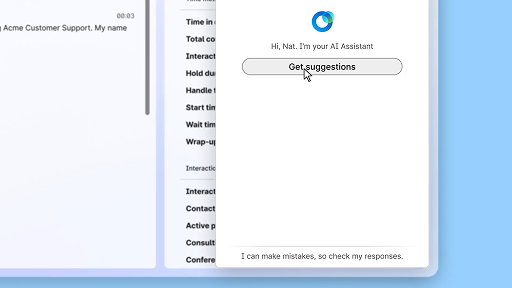
Responda con confianza utilizando la asistencia en tiempo real
Experiencia del cliente
La asistencia en tiempo real es una función de Cisco AI Assistant diseñada para ayudarle durante las interacciones con clientes en vivo. Esta función le permite comprender de manera continua el contexto de la conversación, identificar la intención del cliente y ofrecer al instante recomendaciones relevantes. Le proporciona una guía en tiempo real, ya que le sugiere qué hacer o decir, le ayudar a navegar procedimientos complejos e incluso a iniciar flujos de trabajo de manera automática.
Cisco AI Assistant en reuniones
Webex Suite
A veces entra tarde a una reunión, debe ausentarse un momento o realiza varias tareas a la vez y se distrae. Con los resúmenes de reuniones generados por el AI Assistant, puede ponerse al corriente rápidamente de lo que se ha perdido, entender el debate, hacer preguntas sin interrumpir la reunión y seguir al tanto de la conversación. También recibe un resumen y una transcripción después de la reunión, sin tener que grabar.
Crear un agente autónomo de IA
Experiencia del cliente
Los agentes autónomos de IA operan de manera independiente, sin intervención humana directa. Los agentes autónomos pueden acceder a un repositorio de conocimientos y utilizarlo para proporcionar respuestas informativas y precisas a las consultas de los usuarios. Estos agentes usan algoritmos avanzados y técnicas de aprendizaje automático para analizar datos, aprender de su entorno y adaptar sus acciones para alcanzar objetivos específicos.
Compartir contenido en una reunión
Webex Suite
Cuando comparte contenido en la aplicación de Webex, todos los participantes de la reunión pueden ver fácilmente qué se está discutiendo. Cualquiera puede compartir contenido, pero solo una persona puede compartir por vez.
Aumente la eficacia mediante resúmenes generados por la IA
Experiencia del cliente
Cisco AI Assistant ofrece resúmenes concisos de las interacciones previas, lo que permite a los agentes continuar las conversaciones de forma fluida y sin tener que volver a recopilar información. Este acceso inmediato posibilita que los agentes se enfoquen en proporcionar soluciones efectivas, lo que conduce a resoluciones más rápidas y una experiencia del cliente más cohesiva.
Aplicación de Webex | Agregar su imagen de perfil
Webex Suite
Agregue una imagen a su perfil para que a los demás les resulte más fácil reconocerlo en la aplicación de Webex. Hasta que cargue una, su perfil solo mostrará sus iniciales dentro de un círculo.
Notificaciones de AI Assistant sobre descansos para el bienestar
Experiencia del cliente
Cuando AI Assistant recomiende un descanso para el bienestar, aparecerá una notificación emergente: Aceptación del descanso: Haga clic en “Tomar un descanso” para aceptar la recomendación. El widget de Cisco AI Assistant se abrirá automáticamente para confirmar su elección. Una vez que concluya la interacción actual, comenzará su descanso para el bienestar de 1 minuto de manera automática. Su estado cambiará a “Descanso para el bienestar” para que la siguiente interacción no se agregue a su cola. Cuando su descanso de 1 minuto esté por terminar, aparecerá en pantalla una cuenta regresiva de 5 segundos. Al finalizar, la ventana de descanso se cerrará automáticamente, y su estado cambiará a “Disponible”, con lo que quedará listo para la siguiente interacción.
Genere resúmenes de espacio
Webex Suite
Cuando está ocupado o ha estado fuera de la oficina, ponerse al día con todos sus espacios puede ser complicado. El AI Assistant puede generar resúmenes de espacios para ayudarlo a ponerse al día rápidamente sobre los mensajes y conversaciones que se haya perdido en el espacio. Manténgase informado sobre las decisiones y los puntos clave y póngase al día con el debate de un vistazo.
Aumente la eficacia con transcripciones en tiempo real
Experiencia del cliente
Las transcripciones en tiempo real están diseñadas para ayudarle a optimizar la eficiencia de la comunicación durante las interacciones con los clientes. Las transcripciones en vivo directamente en su Agent Desktop pueden ayudar a mejorar el foco, la claridad y la precisión de las respuestas. Esto apunta a mejorar la comprensión y la eficiencia durante las llamadas, reducir los malentendidos y ayudar a que el usuario tenga interacciones de alta calidad que incrementen su rendimiento y la satisfacción de los clientes.
Utilice la pizarra blanca en las reuniones
Webex Suite
Cuando está ocupado o ha estado fuera de la oficina, ponerse al día con todos sus espacios puede ser complicado. El AI Assistant puede generar resúmenes de espacios para ayudarlo a ponerse al día rápidamente sobre los mensajes y conversaciones que se haya perdido en el espacio. Manténgase informado sobre las decisiones y los puntos clave y póngase al día con el debate de un vistazo.
Responda con confianza utilizando la asistencia en tiempo real
Experiencia del cliente
La asistencia en tiempo real es una función de Cisco AI Assistant diseñada para ayudarle durante las interacciones con clientes en vivo. Esta función le permite comprender de manera continua el contexto de la conversación, identificar la intención del cliente y ofrecer al instante recomendaciones relevantes. Le proporciona una guía en tiempo real, ya que le sugiere qué hacer o decir, le ayudar a navegar procedimientos complejos e incluso a iniciar flujos de trabajo de manera automática.

Explorar nuestras herramientas de aprendizaje

Adoption Hub
Launch, train, and grow with these helpful resources.

Webex Academy
Aprenda en cualquier momento con cursos a su ritmo y tutoriales rápidos en video.

Onboarding resources
Make onboarding easy with customizable self-serve resources.

Eventos en vivo
Aprenda con Webex: Eventos, seminarios web y demostraciones diarias.
Otros recursos

Descargar Webex
Una plataforma con todas las formas de conectarse.


Comunidad de Webex
La Comunidad es un centro para conectar con sus compañeros y especialistas de Cisco para pedir ayuda, compartir su experiencia, desarrollar su red y crecer profesionalmente.

Webex Insider
Conéctese con personas que comparten su entusiasmo por Webex y acceda desde adentro a los nuevos conceptos de los equipos de productos y experiencia de la cartera Webex.

Webex para desarrolladores
Cree el futuro de la colaboración empresarial con Webex. Obtenga más información sobre la API y los SDK de Webex para crear la próxima gran aplicación de colaboración en la plataforma Webex.

¿Todavía necesita ayuda?
Elija de una variedad de recursos de soporte para obtener la ayuda que necesita.
¿Cómo calificaría su experiencia en esta página?


Inútil
Útil
¿Cómo podríamos hacer que esta página sea más útil para usted?
Gracias por sus comentarios.


