webex-logowebex-logoヘルプ センター
  • Ctrl K
    • 使い始める
    • 製品別サポート
    • 管理
    • 新機能
    • Support

      Join a meeting
      Developer ToolsDeveloper Tools
      Webex AdoptionWebex Adoption
      Contact Support

      learn

      Video resources
      Webex AcademyWebex Academy
      Live Events and WebinarsLive Events and Webinars
      Webex BlogWebex Blog

      programs

      Webex CommunityWebex Community
      Webex InsiderWebex Insider
      App HubApp Hub
      Cisco AI Assistant

      Cisco AI Assistant

      The most advanced generative AI-powered platform for hybrid work and customer experience.

      Learn more →
      webexDownload Webex
      +1-888-469-3239Contact Sales →
    • Ctrl K
      • Dansk
      • Deutsch
      • English 言語のチェック
      • Español
      • Français
      • Italiano
      • Nederlands
      • Português
      • Pyccĸий
      • Svenska
      • Tϋrkçe
      • 한국어
      • 日本語
      • 简体中文
      • 繁體中文
      • Română
      • Magyar
      • Polski
      • Čeština
      • Български
      • Norsk
      • Hrvatski
      • Srpski
      • Українська
      • العربية
      • עברית
      • Suomi
      • Slovenščina
      • Slovenský

    何かお困りですか?

    カレンダーのミーティングのアイコン

    ミーティングに参加しようとしている場合

    前のバナー
    Webex One ロゴ

    Oct 5-8, 2026, Austin, TX & Virtual | Save the date and get 75% off your tickets when registration opens.

    Oct 5-8, 2026, Austin, TX & Virtual | Save the date and get 75% off your tickets when registration opens.

    次のバナー
    前のバナー
    クラウド移行アイコン

    Unified CM から Webex Calling に移行する

    ステップバイステップのガイドに従って、Webex Calling のエンタープライズ級クラウド プラットフォームにスムーズに移行できます。

    ステップバイステップのガイドに従って、Webex Calling のエンタープライズ級クラウド プラットフォームにスムーズに移行できます。

    次のバナー
    宇宙船のアイコン

    使い始める

    Webex を使い始めるために知るべきすべてのこと

    アプリケーションのアイコン

    製品別サポート

    当社のさまざまな製品のそれぞれに対して特定の支援を受ける

    設定の歯車のアイコン

    管理

    Control Hub と Partner Hub で Webex を管理。

    Cisco AI Assistant のアイコン

    Webex AI

    最先端の生成 AI を搭載した、ハイブリッド ワークとカスタマー エクスペリエンス向けのプラットフォーム。

    新機能のキラキラした光のアイコン

    最新機能

    Webex の最新情報をご覧ください。新機能、問題、修正、その他の更新情報を詳しくご覧ください。

    人気の記事

    Sign-in issues with Webex
    製品アイコン
    Webex スイート
    Configure Local Gateway on Cisco IOS XE for Webex Calling
    製品アイコン
    Calling
    Port Reference Information for Webex Calling
    製品アイコン
    Calling
    Use virtual backgrounds in Webex Meetings and Webex Webinars
    製品アイコン
    Webex スイート
    Build and manage flows with Flow Designer
    製品アイコン
    カスタマー エクスペリエンス
    Webex AI Agent Studio Administration guide
    製品アイコン
    カスタマー エクスペリエンス
    Connect to a Webex App device
    製品アイコン
    デバイス

    ビデオ リソース

    Scroll left to see more video resourcesScroll right to see more video resources
    playfooter.videoTitle1
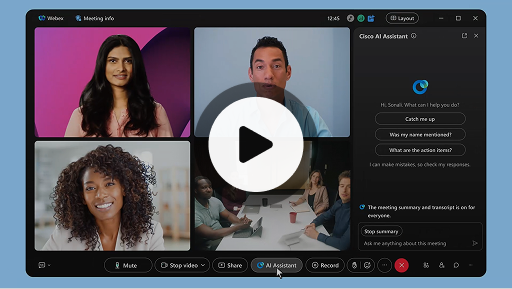
    Cisco AI Assistant in meetings
    製品アイコン
    Webex スイート
    Sometimes you may join a meeting late, need to step away for a moment, or you're multitasking and get distracted. With AI Assistant meeting summaries, you can quickly catch up on what you’ve missed, understand the discussion, ask questions without disturbing the meeting, and stay on top of the conversation. You also receive a summary and transcript after the meeting, without having to record.
    playfooter.videoTitle2
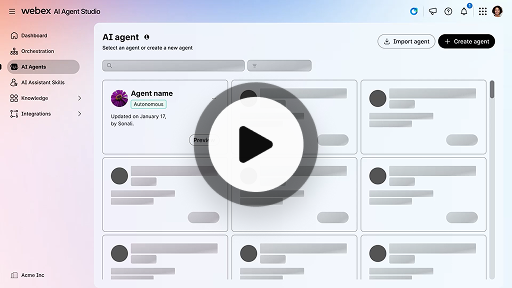
    Create an autonomous AI agent
    製品アイコン
    カスタマー エクスペリエンス
    Autonomous AI agents operate independently without direct human intervention. Autonomous agents can access and use a knowledge repository to provide informative and accurate answers to user queries. These agents use advanced algorithms and machine learning techniques to analyze data, learn from their environment, and adapt their actions to achieve specific goals.
    playfooter.videoTitle3
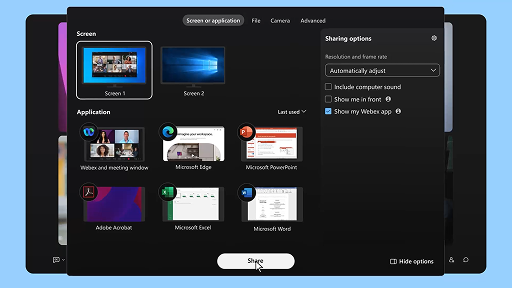
    Share content in a meeting
    製品アイコン
    Webex スイート
    When you share content in Webex App, everyone in the meeting can easily see what's being discussed. Anyone can share content, but only one person can share at a time.
    playfooter.videoTitle4
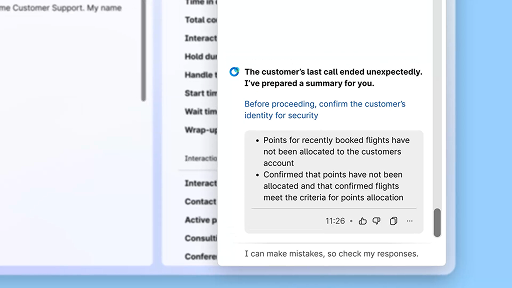
    Enhance efficiency using AI-generated summaries
    製品アイコン
    カスタマー エクスペリエンス
    The Cisco AI Assistant offers concise summaries of prior interactions, allowing agents to continue conversations seamlessly without needing to re-collect information. This immediate access enables agents to focus on delivering effective solutions, leading to faster resolutions and a more cohesive customer experience.
    playfooter.videoTitle5
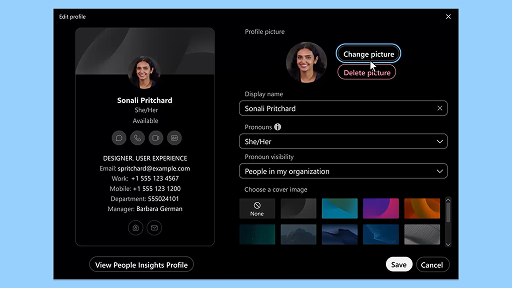
    Webex App | Add your profile picture
    製品アイコン
    Webex スイート
    Make it easier for people to recognize you in Webex App by adding a picture to your profile. Until you upload one, your profile only shows your initials inside a circle.
    playfooter.videoTitle6
    AI Assistant wellness break notifications
    製品アイコン
    カスタマー エクスペリエンス
    When the AI Assistant recommends a wellbeing break, a toaster notification will appear: Accepting a break: Click Take a break to accept the break. The Cisco AI Assistant widget opens automatically to confirm your choice. After you wrap up the current interaction, your 1-minute wellbeing break begins automatically. Your status changes to Wellbeing Break to prevent the next interaction from being queued to you. A 5-second countdown appears on the screen as your 1-minute break concludes. Once complete, the break window closes automatically, and your status changes to Available, readying you for the next interaction.
    playfooter.videoTitle7
    Generate space summaries
    製品アイコン
    Webex スイート
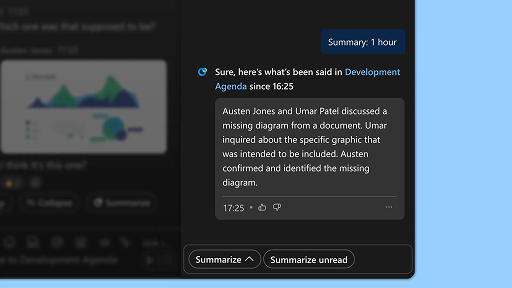
    When you're busy, or you've been away from the office, catching up with all your spaces can be challenging. AI Assistant can generate space summaries to help you quickly catch up on missed messages and conversations in the space. Stay informed on decisions, key points, and get up to date with the discussion at a glance.
    playfooter.videoTitle8
    Enhance efficiency with real-time transcripts
    製品アイコン
    カスタマー エクスペリエンス
    Real-time transcripts is designed to help you optimize communication efficiency during customer interactions. By providing live transcriptions directly on your Agent Desktop, it can help enhance your focus, clarity, and response accuracy. It is aimed at enhancing your understanding and efficiency during calls, reducing misunderstandings, and supporting you in delivering high-quality interactions that improve performance and customer satisfaction.
    playfooter.videoTitle9
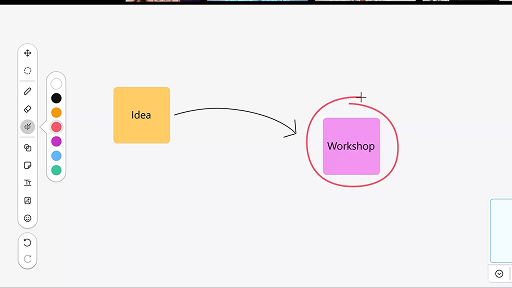
    Use the whiteboard in meetings
    製品アイコン
    Webex スイート
    When you're busy, or you've been away from the office, catching up with all your spaces can be challenging. AI Assistant can generate space summaries to help you quickly catch up on missed messages and conversations in the space. Stay informed on decisions, key points, and get up to date with the discussion at a glance.
    playfooter.videoTitle10
    Respond with confidence using Real-time assist
    製品アイコン
    カスタマー エクスペリエンス
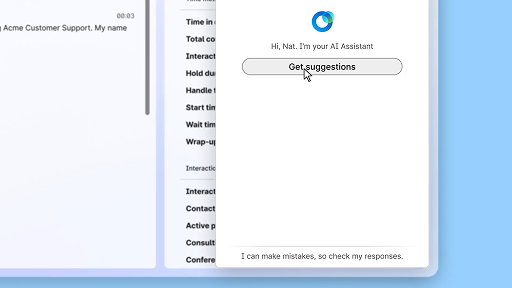
    Real-time assist is a Cisco AI Assistant feature designed to support you during live customer interactions by continuously understanding the conversation context, identifying customer intent, and instantly providing relevant recommendations. It guides you in real time by suggesting what to say or do, helping you navigate complex procedures, and even initiating workflows automatically.
    playfooter.videoTitle1
    Cisco AI Assistant in meetings
    製品アイコン
    Webex スイート
    Sometimes you may join a meeting late, need to step away for a moment, or you're multitasking and get distracted. With AI Assistant meeting summaries, you can quickly catch up on what you’ve missed, understand the discussion, ask questions without disturbing the meeting, and stay on top of the conversation. You also receive a summary and transcript after the meeting, without having to record.
    playfooter.videoTitle2
    Create an autonomous AI agent
    製品アイコン
    カスタマー エクスペリエンス
    Autonomous AI agents operate independently without direct human intervention. Autonomous agents can access and use a knowledge repository to provide informative and accurate answers to user queries. These agents use advanced algorithms and machine learning techniques to analyze data, learn from their environment, and adapt their actions to achieve specific goals.
    playfooter.videoTitle3
    Share content in a meeting
    製品アイコン
    Webex スイート
    When you share content in Webex App, everyone in the meeting can easily see what's being discussed. Anyone can share content, but only one person can share at a time.
    playfooter.videoTitle4
    Enhance efficiency using AI-generated summaries
    製品アイコン
    カスタマー エクスペリエンス
    The Cisco AI Assistant offers concise summaries of prior interactions, allowing agents to continue conversations seamlessly without needing to re-collect information. This immediate access enables agents to focus on delivering effective solutions, leading to faster resolutions and a more cohesive customer experience.
    playfooter.videoTitle5
    Webex App | Add your profile picture
    製品アイコン
    Webex スイート
    Make it easier for people to recognize you in Webex App by adding a picture to your profile. Until you upload one, your profile only shows your initials inside a circle.
    playfooter.videoTitle6
    AI Assistant wellness break notifications
    製品アイコン
    カスタマー エクスペリエンス
    When the AI Assistant recommends a wellbeing break, a toaster notification will appear: Accepting a break: Click Take a break to accept the break. The Cisco AI Assistant widget opens automatically to confirm your choice. After you wrap up the current interaction, your 1-minute wellbeing break begins automatically. Your status changes to Wellbeing Break to prevent the next interaction from being queued to you. A 5-second countdown appears on the screen as your 1-minute break concludes. Once complete, the break window closes automatically, and your status changes to Available, readying you for the next interaction.
    playfooter.videoTitle7
    Generate space summaries
    製品アイコン
    Webex スイート
    When you're busy, or you've been away from the office, catching up with all your spaces can be challenging. AI Assistant can generate space summaries to help you quickly catch up on missed messages and conversations in the space. Stay informed on decisions, key points, and get up to date with the discussion at a glance.
    playfooter.videoTitle8
    Enhance efficiency with real-time transcripts
    製品アイコン
    カスタマー エクスペリエンス
    Real-time transcripts is designed to help you optimize communication efficiency during customer interactions. By providing live transcriptions directly on your Agent Desktop, it can help enhance your focus, clarity, and response accuracy. It is aimed at enhancing your understanding and efficiency during calls, reducing misunderstandings, and supporting you in delivering high-quality interactions that improve performance and customer satisfaction.
    playfooter.videoTitle9
    Use the whiteboard in meetings
    製品アイコン
    Webex スイート
    When you're busy, or you've been away from the office, catching up with all your spaces can be challenging. AI Assistant can generate space summaries to help you quickly catch up on missed messages and conversations in the space. Stay informed on decisions, key points, and get up to date with the discussion at a glance.
    playfooter.videoTitle10
    Respond with confidence using Real-time assist
    製品アイコン
    カスタマー エクスペリエンス
    Real-time assist is a Cisco AI Assistant feature designed to support you during live customer interactions by continuously understanding the conversation context, identifying customer intent, and instantly providing relevant recommendations. It guides you in real time by suggesting what to say or do, helping you navigate complex procedures, and even initiating workflows automatically.
    ビデオパネルを閉じる

    学習ツールを詳しく見る

    Webex Adoption をクリックするカーソルのアイコン

    導入リソース

    皆様とチームが使用開始するのに必要なものはすべて揃えています。

    再生ボタンと Webex Academy のアイコン

    Webex アカデミー

    セルフ学習型のコースや簡単なビデオチュートリアルでいつでも学習できます。

    3 人のユーザーと Webex Community のアイコン

    Admin launch kits

    Launch kits to help make your Webex rollout a success.

    カレンダーと星マークのイベントのアイコン

    ライブ イベント

    Webex で学習: イベント、ウェビナー、日々のデモをご覧ください。

    その他のリソース

    Webex をダウンロード
    Webex をダウンロード
    あらゆる接続方法に対応した 1 つのプラットフォーム。
    Webex Community
    Webex Community
    コミュニティでは他のユーザーや Cisco のスペシャリストとつながることができます。サポートの依頼、ご自身の専門知識の共有、ネットワーク構築などにご活用いただき、仕事上の成長につなげてください。
    Webex インサイダー
    Webex インサイダー
    Webex への情熱を共有している人々とつながり、Webex ポートフォリオの製品やエクスペリエンス チームの新しいコンセプトにインサイダーとしてアクセスできます。
    開発者向け Webex
    開発者向け Webex
    ビジネス コラボレーションの未来を Webex で築きましょう。Webex API と SDK の詳細を知り、Webex プラットフォームで次のすばらしいコラボレーション アプリを創造してください。
    ヘッドセットを着けたユーザーのアイコン

    さらにヘルプが必要な場合

    さまざまなサポート リソースから、必要なヘルプを探せます。

    このページでの体験を評価してください。

    役に立たなかった

    役に立った

    このページで改善できる点がありましたらお知らせください。

    コメントありがとうございます。
    価格Webex アプリMeetingsCallingメッセージング画面共有
    Webex スイートCallingMeetingsメッセージングSlidoウェビナーEventsContact CenterCPaaSセキュリティControl Hub
    ヘッドセットカメラDesk シリーズRoom シリーズBoard シリーズPhone シリーズアクセサリ
    教育ヘルスケア行政財務スポーツとエンターテインメントフロントライン非営利スタートアップハイブリッド ワーク
    ダウンロードテストミーティングに参加オンラインクラスインテグレーションアクセシビリティインクルージョンライブ & オンデマンド ウェビナーWebex CommunityWebex Developersニュース & イノベーション
    Ciscoサポートへお問い合わせセールスに問い合わせWebex BlogWebex ソート リーダーシップWebex Merch Storeキャリア
    • X
    • LinkedIn
    • Facebook
    • Youtube
    • Instagram
    利用規約プライバシーステートメントクッキー商標
    ©2026 Cisco and/or its affiliates. All rights reserved.
    利用規約プライバシーステートメントクッキー商標